1강
BEM CSS 명명법
- Block: 독립적으로 의미를 갖는 단위 컴포넌트
- 예: header, menu, button, form 등
- → 예: .button, .nav, .card
- Element: Block 내부의 구성요소. Block 없이는 의미 없음
- 예: menu__item, form__label, card__title
- → 예: .button__icon, .card__content
- Modifier: Block이나 Element의 상태나 변형된 스타일을 표현
- 예: button--large, card__title--highlighted
- → 예: .button--active, .card__content--dark
- 장점
- 명확한 구조와 계층 관계 표현
- 재사용성이 높은 모듈화된 CSS
- 유지보수가 용이
- 협업 시 코드 이해도 향상
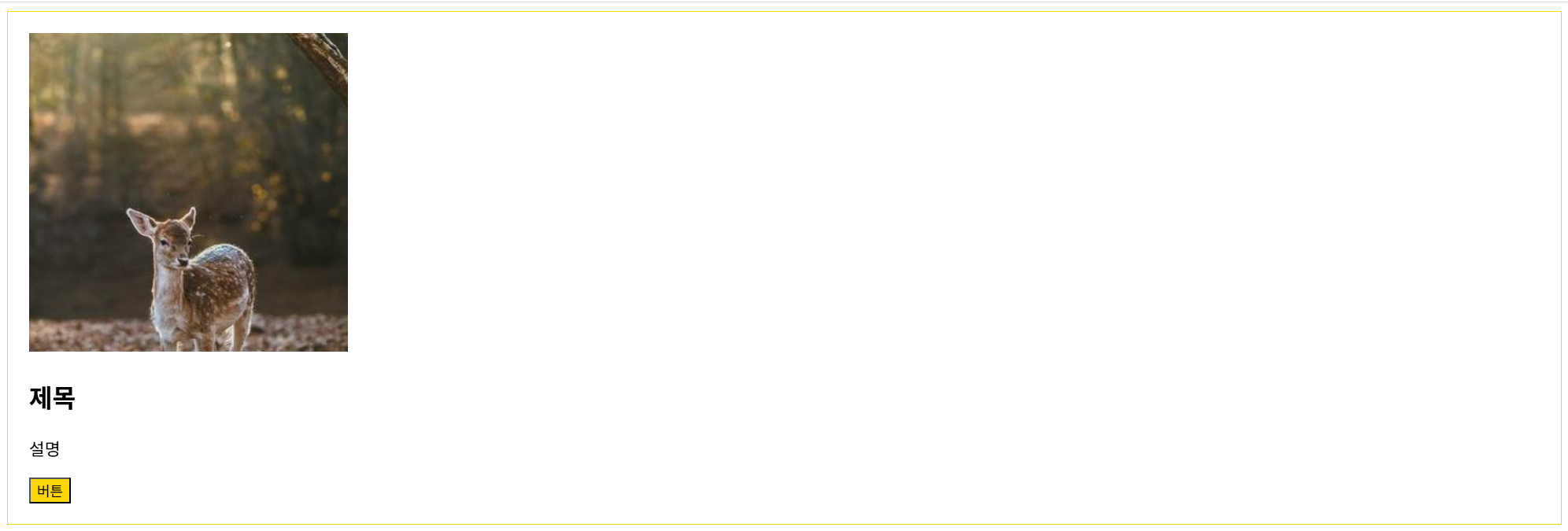
[html]
<div class="card card--featured">
<img class="card__image" src="https://picsum.photos/300/300" alt="">
<div calss="card__content">
<h2 classs="card__title">제목</h2>
<p class="card__description">설명</p>
<button class="card__button card__button--primary">버튼</button>
</div>
</div>
[css]
.card {
border: 1px solid black;
padding: 20px;
}
.card--featured {
border-color: gold;
}
.card__title {
font-size: 18px;
}
.card__button--primary {
background: gold;
}
2강
CSS Logical Properties
3강
CSS nesting(중첩 css) 사용방법
/* 폰트 */ @font-face { font-family: "SUIT-Regular"; src: url("https://fastly.jsdelivr.net/gh/projectnoonnu/noonfonts_suit@1.0/SUIT-Regular.woff2") format("woff2"); font-weight: normal; font-style: normal; } html > body { font-family: "SUIT-Regular"; }
[html]
<!-- 테일윈드 -->
<script src="https://cdn.jsdelivr.net/npm/@tailwindcss/browser@4"></script>
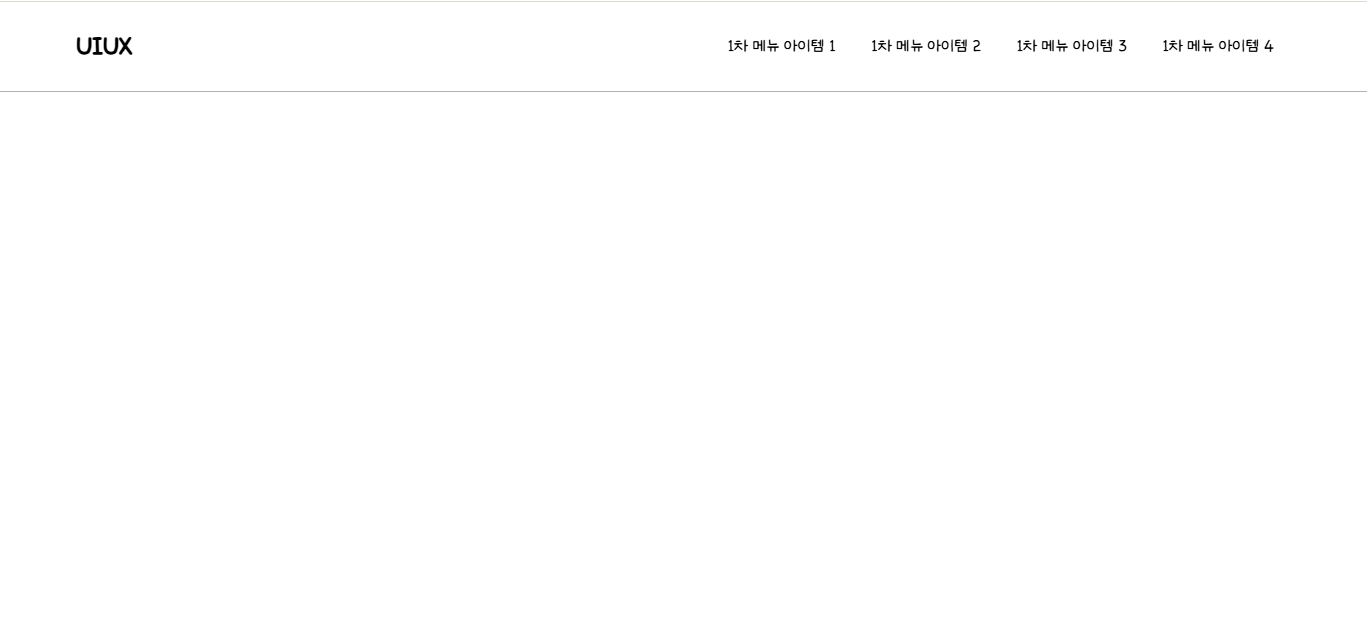
<header class="top-bar">
<div class="con">
<div class="logo-box">
<a href="#" class="logo">
UIUX
</a>
</div>
<nav class="top-bar__menu-1">
<!-- ul.depth-menu>li.menu-item*4>a.menu-text[href=#]{1차 메뉴 아이템 $} -->
<ul class="depth1-menu">
<li class="menu-item">
<a href="#" class="menu-text">1차 메뉴 아이템 1</a>
</li>
<li class="menu-item">
<a href="#" class="menu-text">1차 메뉴 아이템 2</a>
</li>
<li class="menu-item">
<a href="#" class="menu-text">1차 메뉴 아이템 3</a>
</li>
<li class="menu-item">
<a href="#" class="menu-text">1차 메뉴 아이템 4</a>
</li>
</ul>
</nav>
</div>
</header>
[css]
@font-face {
font-family: "OmuDaye";
src: url("https://cdn.jsdelivr.net/gh/projectnoonnu/noonfonts_2304-01@1.0/omyu_pretty.woff2")
format("woff2");
font-weight: normal;
font-display: swap;
}
html > body {
font-family: "OmuDaye";
}
/* 라이브러리 */
.con {
max-width: 1080px;
margin-inline: auto;
}
/* 커스텀 */
.top-bar {
height: 80px;
border-bottom: 1px solid rgba(0, 0, 0, 0.3);
.con {
height: 100%;
display: flex;
}
.logo {
display: flex;
align-items: center;
height: 100%;
font-weight: bold;
font-size: 1.5rem;
transition: color 0.3s ease-in-out;
/* .logo:hover */
&:hover {
color: pink;
}
}
}
.top-bar__menu-1 {
margin-left: auto;
.depth1-menu {
display: flex;
height: 100%;
.menu-item {
&:hover .menu-text {
font-weight: bold;
}
.menu-text {
display: flex;
height: 100%;
align-items: center;
padding-inline: 1rem;
}
}
}
}
4강
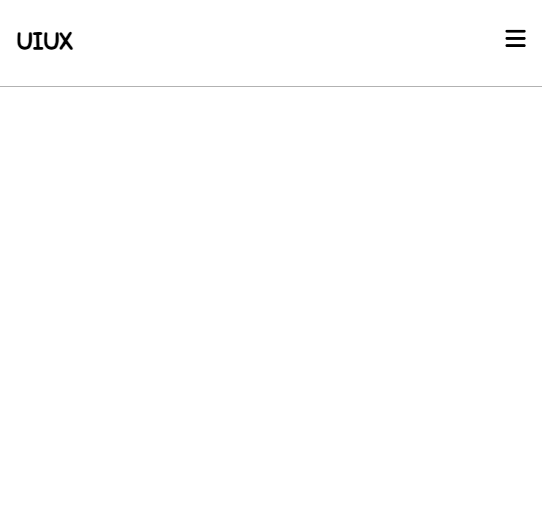
CSS nesting에서 media 쿼리 중첩
[html]
<!-- 폰트어썸 -->
<link rel="stylesheet" href="https://cdnjs.cloudflare.com/ajax/libs/font-awesome/6.5.2/css/all.min.css" />
<!-- 테일윈드 -->
<script src="https://cdn.jsdelivr.net/npm/@tailwindcss/browser@4"></script>
<header class="top-bar">
<div class="con">
<div class="logo-box">
<a href="#" class="logo">
UIUX
</a>
</div>
<nav class="top-bar__menu-1">
<!-- ul.depth-menu>li.menu-item*4>a.menu-text[href=#]{1차 메뉴 아이템 $} -->
<ul class="depth1-menu">
<li class="menu-item">
<a href="#" class="menu-text">1차 메뉴 아이템 1</a>
</li>
<li class="menu-item">
<a href="#" class="menu-text">1차 메뉴 아이템 2</a>
</li>
<li class="menu-item">
<a href="#" class="menu-text">1차 메뉴 아이템 3</a>
</li>
<li class="menu-item">
<a href="#" class="menu-text">1차 메뉴 아이템 4</a>
</li>
</ul>
</nav>
<div class="mobile-menu-btn-box">
<button class="mobile-menu-btn">
<span>
<i class="fa-solid fa-bars"></i>
</span>
</button>
</div>
</div>
</header>
[css]
@font-face {
font-family: "OmuDaye";
src: url("https://cdn.jsdelivr.net/gh/projectnoonnu/noonfonts_2304-01@1.0/omyu_pretty.woff2")
format("woff2");
font-weight: normal;
font-display: swap;
}
html > body {
font-family: "OmuDaye";
}
/* 라이브러리 */
.con {
margin-inline: auto;
max-width: 1080px;
}
/* 커스텀 */
/*
1 : .top-bar > .con {}
2 : .top-bar .con {}
*/
.top-bar {
height: 80px;
border-bottom: 1px solid rgba(0, 0, 0, 0.3);
/*
> .con {
background-color: red;
height: 100%;
}
*/
.con {
height: 100%;
display: flex;
@media (width <= 920px) {
padding-inline: 1rem;
}
}
.logo {
font-size: 1.5rem;
font-weight: bold;
height: 100%;
display: flex;
align-items: center;
transition: color 0.3s ease-in-out;
/* .logo:hover */
&:hover {
color: red;
}
}
}
.top-bar__menu-1 {
margin-left: auto;
@media (width <= 920px) {
display: none;
}
.depth1-menu {
display: flex;
height: 100%;
.menu-item {
&:hover .menu-text {
font-weight: bold;
}
.menu-text {
display: flex;
height: 100%;
align-items: center;
padding-inline: 1rem;
}
}
}
}
.mobile-menu-btn-box {
align-self: center;
margin-left: auto;
@media (width > 920px) {
display: none;
}
.mobile-menu-btn {
cursor: pointer;
i {
font-size: 1.3rem;
}
}
}
'코딩 > 수업메모' 카테고리의 다른 글
| 테일윈드 (0) | 2026.03.25 |
|---|---|
| SASS/SCSS (0) | 2026.03.20 |
| Git, GitHub 기초 (0) | 2026.03.18 |
| 깃 명령어 정리 (0) | 2026.03.18 |
| HTML, CSS, JS 활용 - 27 ~ 29강 (0) | 2026.03.17 |